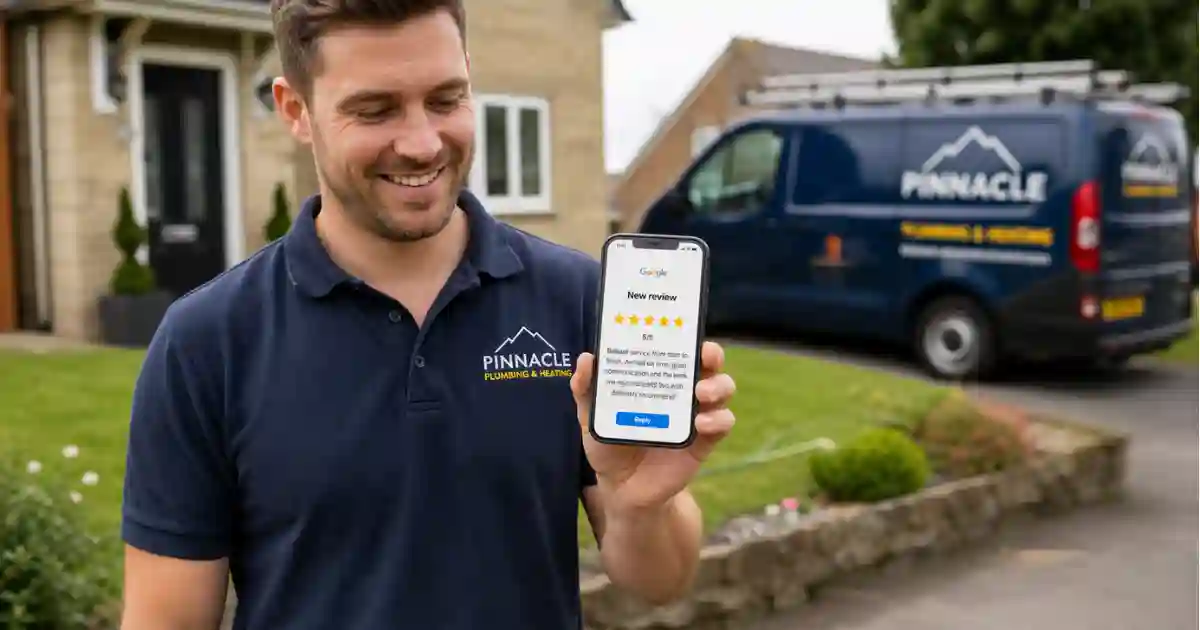
The best tradesperson in your area is not necessarily the one with the most skill. It is the one with the most reviews. When a homeowner searches for a plumber, electrician, or builder on Google, they book the name they recognise and trust. Right now, that trust is built almost entirely through online reviews.
This guide shows you exactly how to get more reviews as a UK tradesperson, what to say, which platforms matter, and how to automate the whole process so you never have to think about it again.
Why reviews are the most valuable marketing asset a tradesperson can have
Reviews do four things that no paid advertising can replicate. First, they build trust with people who have never met you. Second, they improve your ranking in Google's local search results. Third, they convert browsing visitors into paying customers. Fourth, they give you free word-of-mouth at scale.
For a self-employed tradesperson with no marketing budget, a strong collection of genuine reviews is the single highest-return investment you can make in your business.
The compounding effect: More reviews lead to higher Google rankings, which brings more visitors to your profile, which leads to more calls, which leads to more jobs, which means more opportunities to collect reviews. Getting this cycle started is the hard part. Keeping it going is almost automatic.
Which review platforms matter for UK tradespeople?
Start with Google. If you only build one review profile, make it Google Business Profile. It directly influences how you rank in local search, and it is the first thing a customer sees when they search your name or your trade in their area.
When and how to ask for a review
Timing is everything. The best moment to ask for a review is within 24 hours of completing a job, while the customer is still pleased with the result and the quality of your work is fresh in their mind. The longer you leave it, the lower the chance they will bother.
| Method | Response rate | Ease for customer | Best for tradespeople? |
|---|---|---|---|
| Ask in person at end of job | Low (they forget) | Hard (nothing to tap) | Partial |
| Email follow-up | ~5 to 10% | Medium (often missed) | Weak |
| SMS with direct link | ~25 to 35% | Easy (one tap) | Strong |
| Automated SMS (sent same day) | ~30 to 40% | Easy (one tap) | Best |
SMS works because it is read almost immediately (98% open rate vs 20% for email), the review link is easy to tap directly on a phone, and it arrives while the customer is still in the mindset of having just had a positive experience.
Never offer incentives for reviews. Offering money, discounts, or gifts in exchange for a review violates Google's guidelines and constitutes a misleading practice under UK consumer law. Ask for honest reviews only. Customers who had a good experience are usually happy to leave one if you simply ask at the right moment.
8 review request SMS templates for tradespeople
The message needs to be warm, personal, and contain a direct link to your review page. Replace [LINK] with your Google Business Profile review URL. Here are 8 templates you can copy and adapt today.
Template 1: Standard (most popular)
Template 2: Short and direct
Template 3: With specific job mention
Template 4: Next-day follow-up
Template 5: After a larger project
Template 6: Returning customer
Template 7: Referral customer
Template 8: Gentle second request
How to get your Google review link
Search "Google Business Profile" and sign in with the Google account linked to your business listing.
In your business dashboard, find the "Get more reviews" or "Ask for reviews" button. Google generates a short, shareable link.
Copy the link Google provides. It is already short but you can use bit.ly to create a branded short link if you prefer.
Paste the link into your review request template. Save the template in TextBack Pro's follow-up sequence so it sends automatically after every job.
With TextBack Pro on the Pro or Scale plan, you can send a review request SMS automatically at a set time after a job, without needing to remember to send it manually every time.
Automate your review requests after every job
TextBack Pro sends follow-up SMS sequences automatically. Set it up once and never forget to ask for a review again.
Start your free trialWhat is the ROI of getting more reviews?
Getting reviews is one of the highest-return activities a tradesperson can spend time on. Here is how the maths works for a typical sole trader in the UK.
| Scenario | Google reviews | Monthly profile views | Estimated calls per month |
|---|---|---|---|
| No review strategy | 3 to 5 (old) | ~150 | ~8 |
| Active review collection (6 months) | 25 to 40 | ~480 | ~27 |
| Consistent review collection (12 months) | 60 to 100+ | ~900 | ~51 |
These figures are estimates based on typical local SEO performance for UK trades businesses. The exact results depend on your location, trade, and how competitive your local market is. What is consistent across all markets: more recent reviews correlate directly with more profile views and more calls.
Real example: A sole trader electrician in the West Midlands went from 7 Google reviews to 54 over 8 months by sending a review request SMS after every job. Their profile views increased by 340% and they reduced their reliance on paid Checkatrade listings entirely.
How to respond to reviews
Responding to every review, positive and negative, is almost as important as collecting them. Google factors in engagement with reviews when ranking local businesses, and potential customers read responses to see how professional you are.
- Positive reviews: Thank the customer by name, mention the job briefly, and invite them to use you again. Keep it to 2 to 3 sentences.
- Negative reviews: Respond calmly, acknowledge the concern, and offer to resolve it offline. Never argue. One professional response to a negative review can actually increase trust with potential customers who see it.
- Fake reviews: Flag them to Google using the "Report" option. Do not respond to fake reviews as if they are real, as this gives them more credibility.
Is asking for reviews via SMS GDPR compliant?
Yes, with one important condition. Sending an SMS to a customer who has just paid for your services falls under legitimate interest. You have a business relationship with them, and following up to ask for feedback on that specific transaction is a natural part of that relationship. You do not need prior marketing consent.
However, if you plan to add customers to an ongoing SMS marketing list, you would need to collect explicit consent at the point of first contact. TextBack Pro's follow-up sequences are designed to handle this correctly: the review request is sent as a service follow-up, not as marketing, and customers can easily opt out.